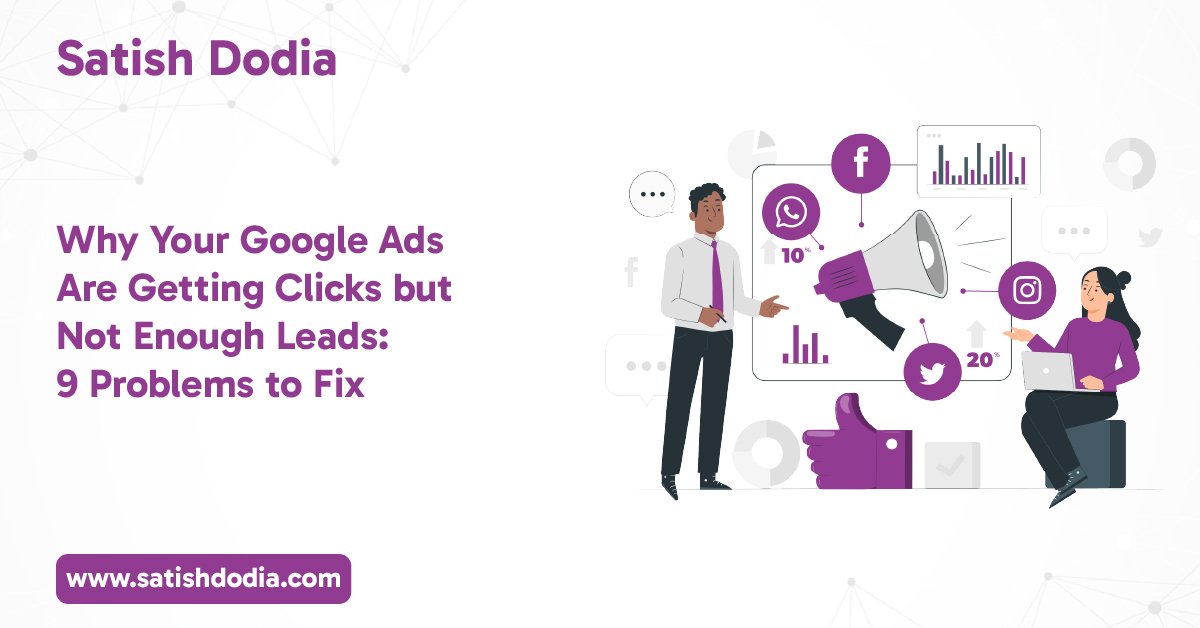

Running Google Ads but struggling to get enquiries? You’re not alone. Many businesses receive website traffic through paid advertising but fail to turn those visitors into potential customers.
You might be getting hundreds of clicks every month. Your advertising budget is being spent, but phone calls, form submissions, and sales are still low.
So, what’s going wrong?
Getting people to click your advertisement is only one part of a successful campaign. The real challenge is attracting the right audience and giving them a reason to take action.
Small mistakes in keyword selection, ad targeting, landing pages, or conversion tracking can affect your results. Sometimes, the problem isn’t your advertising budget. It’s how your campaign is managed.
Let’s look at nine common Google Ads problems that could be costing your business valuable leads and how to fix them.
Why Google Ads Clicks Don’t Always Turn Into Leads
A click shows that someone is interested enough to visit your website. However, it doesn’t mean they are ready to purchase your product or service.
Think about a plumbing company advertising its services online. Someone searches for plumbing prices, clicks the advertisement, and visits the website. However, they leave without contacting the business.
Why?
Perhaps they couldn’t find the service they needed. Maybe the pricing wasn’t clear, or the website didn’t make contacting the company easy.
This is why clicks alone aren’t a reliable measure of campaign success.
A successful Google Ads campaign should focus on:
- Attracting people actively searching for your services.
- Matching advertisements with the right search intent.
- Providing useful information on landing pages.
- Making it easy for visitors to contact your business.
- Tracking enquiries and conversions accurately.
The goal isn’t simply to increase website traffic. It’s to attract visitors who are more likely to become customers.
Nine Common Google Ads Problems That Are Costing Your Business Leads
Let’s understand the mistakes that can prevent your campaigns from generating consistent enquiries.
Targeting the Wrong Keywords and Search Intent
Keywords determine when your advertisements appear on Google. Choosing the wrong ones can bring visitors who have little interest in your actual services.
For example, a company offering professional digital marketing services might target the broad keyword “marketing.”
However, people searching for this term could be looking for marketing courses, definitions, jobs, or marketing ideas.
These visitors might click the advertisement without becoming customers.
How to fix it:
- Research keywords based on what potential customers actually search for.
- Prioritise relevant commercial and transactional searches.
- Use specific service-related keywords.
- Review keyword performance regularly.
- Organise keywords into closely related ad groups.
For example, instead of targeting only “marketing,” a business could target more specific searches like “Google Ads management services” or “Google Ads consultant for small businesses.”
Relevant keywords help connect your advertisements with people who have a clearer reason to enquire.
Ignoring Negative Keywords
Negative keywords help prevent your advertisements from appearing for irrelevant searches.
Without them, your advertising budget could be spent on clicks from people who aren’t interested in buying your services.
Imagine you’re advertising paid Google Ads management. Your advertisement might appear for searches such as:
- Free Google Ads course
- Google Ads jobs
- Google Ads certification
- Google Ads tutorials
These searches may attract students or job seekers rather than potential clients.
How to fix it:
Review your Search Terms report regularly. Identify searches that aren’t relevant to your business and add suitable negative keywords.
However, don’t automatically exclude every unexpected search. Check its meaning and intent before making changes.
A well-maintained negative keyword list can help reduce irrelevant traffic and improve campaign relevance.
Sending Traffic to the Wrong Landing Page
Imagine clicking an advertisement for a particular service and landing on a general homepage.
You then need to search through several pages to find the information you originally wanted.
Would you stay?
Many visitors won’t.
Your landing page should match the promise made in your advertisement. If someone searches for Google Ads management, they should land on a page explaining that service.
How to fix it:
Create dedicated landing pages for important services and campaigns.
Make sure every landing page includes:
- A clear and relevant headline.
- A description of the service.
- Benefits that address customer needs.
- Trust signals, testimonials, or genuine client reviews.
- A visible contact form or enquiry button.
- A simple layout that works on mobile devices.
The easier you make it for visitors to understand your offer, the easier it becomes for them to take the next step.
Writing Ad Copy That Attracts the Wrong Audience
Your advertisement creates the first impression of your business.
If the headline is unclear or promises something irrelevant, it may attract clicks from people who aren’t suitable customers.
For example, an advertisement saying “Get the Cheapest Marketing Services” might attract people who only care about low prices.
However, a business looking for reliable campaign management may be more interested in expertise, transparency, and measurable performance.
How to fix it:
Write advertisements that clearly communicate what you offer and who you help.
Focus on:
- Relevant headlines that match search queries.
- Clear descriptions of your services.
- Genuine business advantages.
- Relevant calls to action.
- Accurate information about your offer.
Avoid making promises you cannot support. Good ad copy should attract the right visitors, not simply generate more clicks.
Missing or Incorrect Conversion Tracking
This is one of the most important problems to investigate when a campaign generates traffic but doesn’t show meaningful results.
Conversion tracking helps you understand what happens after someone clicks your advertisement.
Without accurate tracking, you may not know whether visitors are submitting forms, calling your business, or completing purchases.
You could also end up making decisions based on incorrect reporting.
How to fix it:
Set up and test relevant conversion actions, such as:
- Contact form submissions.
- Qualified phone enquiries.
- Online purchases.
- Appointment bookings.
- Other meaningful business actions.
Use Google Ads conversion tracking and, where appropriate, Google Analytics 4 to understand visitor behaviour.
Make sure duplicate events and unimportant actions aren’t being counted as valuable leads.
Accurate tracking gives you better information for improving campaign performance.
Choosing the Wrong Budget and Bidding Strategy
Your campaign budget and bidding strategy influence how Google Ads competes for advertising opportunities.
However, increasing your daily budget doesn’t automatically mean you’ll receive more qualified leads.
A campaign might spend more money without improving the quality of its enquiries.
The bidding strategy should reflect your campaign objectives, conversion data, and available budget.
How to fix it:
- Define your advertising objective before selecting a bidding strategy.
- Review your average cost per conversion.
- Check whether your budget is limiting valuable campaigns.
- Avoid making frequent changes without enough performance data.
- Evaluate lead quality alongside advertising costs.
For campaigns with reliable conversion data, automated bidding strategies may help optimise towards specific goals.
The right approach depends on your business, competition, and campaign performance.
Ignoring Website Speed and Mobile Experience
Many potential customers visit websites using smartphones.
If your website takes too long to load, has difficult navigation, or displays poorly on mobile screens, visitors may leave before contacting you.
This creates a problem even when your advertisement is performing well.
You might be paying for relevant clicks but losing potential customers after they arrive.
How to fix it:
- Test your website using Google PageSpeed Insights.
- Improve image sizes and loading performance.
- Make buttons easy to tap on mobile devices.
- Keep contact forms short and simple.
- Check that important information appears clearly.
- Test your landing pages across different screen sizes.
A smooth website experience makes it easier for visitors to understand your services and enquire.
Not Reviewing Search Terms Regularly
Your selected keywords and actual search queries aren’t always identical.
Google’s Search Terms report helps you understand the searches that triggered your advertisements.
Ignoring this information means missing opportunities to improve targeting.
For example, a company advertising commercial cleaning might discover that its advertisements are appearing for residential cleaning searches.
If the company only serves commercial clients, those searches may not be relevant.
How to fix it:
Review your Search Terms report regularly.
Look for:
- Irrelevant search queries.
- New opportunities for relevant keywords.
- Searches generating valuable conversions.
- Queries attracting clicks without meaningful engagement.
- Search patterns that indicate different customer needs.
Use these findings to refine your keyword strategy and improve campaign relevance.
Lack of Consistent Campaign Optimisation
Launching a Google Ads campaign is not the end of the process.
Advertising performance can change because of competition, customer behaviour, seasonal demand, and changes in search trends.
A campaign that performed well previously might not deliver the same results today.
Without regular analysis, small problems can continue affecting your advertising budget.
How to fix it:
Build a consistent optimisation routine.
Review important campaign information, including:
- Search terms and keyword performance.
- Click-through rate.
- Conversion rate.
- Cost per conversion.
- Lead quality.
- Landing page performance.
- Budget utilisation.
Don’t make changes simply for the sake of changing something. Use campaign data to identify genuine improvement opportunities.
This is where an experienced Google Ads expert can help businesses make more informed advertising decisions.
How to Check If Your Google Ads Campaign Is Actually Working
Before changing your entire campaign, take some time to understand its current performance.
Start by reviewing these important metrics.
| Metric | What It Tells You |
| Impressions | How often your advertisements appear |
| Clicks | How many people visit through your ads |
| CTR | How frequently people click after seeing your ads |
| Conversion Rate | How many clicks result in tracked conversions |
| Cost Per Conversion | Average advertising cost for each conversion |
| Search Terms | What people actually searched for |
| Lead Quality | Whether enquiries are relevant to your business |
Remember, a high click-through rate doesn’t necessarily mean your campaign is successful.
For example, a campaign might receive 500 clicks but generate only two qualified enquiries.
Another campaign might receive 150 clicks and generate 15 relevant enquiries.
The second campaign could be more valuable despite receiving less traffic.
Use this simple campaign review checklist:
- Are my keywords relevant to my services?
- Am I attracting the right audience?
- Have I added appropriate negative keywords?
- Are my landing pages relevant to my advertisements?
- Is conversion tracking working correctly?
- Are visitors submitting enquiries?
- Are the enquiries relevant to my business?
- Am I reviewing campaign performance regularly?
If several answers are no, your campaign may need a closer review.
When Should You Hire a Google Ads Expert?
Managing Google Ads requires more than creating advertisements and selecting keywords.
You need to understand search intent, bidding strategies, conversion tracking, landing pages, and campaign optimisation.
Some businesses manage their campaigns internally. Others prefer professional support, especially when advertising costs increase without producing enough enquiries.
Consider working with a Google Ads professional if:
Your advertising budget isn’t producing enough leads: You’re spending consistently but struggling to generate meaningful business enquiries.
You’re unsure which keywords to target: Your advertisements receive clicks, but many visitors aren’t interested in your services.
Your conversion tracking isn’t reliable: You cannot confidently identify which campaigns generate valuable actions.
Your campaigns need better optimisation: You want a structured approach to improving targeting, ad relevance, and conversions.
You want to focus on running your business: Professional campaign support can reduce the time you spend managing advertising activities.
An experienced Google Ads professional can review your existing campaigns, identify potential problems, and recommend improvements based on your business goals.
What Should You Look for Before Choosing a Google Ads Specialist?
Choosing the right professional matters because your advertising budget and business growth are involved.
Before hiring someone, consider these factors:
- Practical Campaign Experience
Look for someone who understands campaign setup, keyword research, bidding, tracking, and optimisation.
- Transparent Communication
You should understand where your advertising budget goes and what work is being completed.
- Performance Reporting
Ask how campaign performance, conversions, and advertising costs will be reported.
- Understanding of Your Business
A good specialist should understand your services, target customers, competition, and business objectives.
- Realistic Expectations
Be careful of anyone promising guaranteed rankings, leads, or sales. Advertising results depend on several factors.
Choose someone who focuses on understanding your business rather than simply increasing your advertising spend.
Practical Ways to Turn More Google Ads Clicks Into Qualified Leads
Once you’ve identified the main problems, focus on improving the complete customer journey.
Here are some practical steps:
- Understand your audience: Identify what your potential customers are searching for and what problems they want to solve.
- Improve keyword targeting: Focus on relevant searches that indicate genuine interest in your services.
- Make advertisements more specific: Communicate your offer clearly and match your messaging with search intent.
- Create better landing pages: Give visitors the information they need without making them search through your website.
- Make contacting you easier: Add visible phone numbers, enquiry forms, and clear calls to action.
- Track meaningful conversions: Measure actual business enquiries instead of focusing only on clicks.
- Review performance regularly: Use campaign data to identify what works and what needs improvement.
Small, data-driven improvements across these areas can make your advertising more effective over time.
Frequently Asked Questions About Google Ads
1 Why are my Google Ads getting clicks but no conversions?
This can happen when your advertisements attract irrelevant visitors, your landing pages don’t match search intent, or your website makes contacting you difficult. Incorrect conversion tracking can also hide actual results.
2 How much should a small business spend on Google Ads?
There isn’t one fixed budget for every business. Your advertising budget depends on your industry, competition, target location, average cost per click, and business objectives. Start with a budget you can afford to test and evaluate.
3 How long does it take to see results from Google Ads?
Advertisements can start receiving traffic shortly after campaigns become eligible to run. However, generating consistent, qualified leads takes testing and optimisation. The timeline depends on competition, budget, conversion data, and your offer.
4 Can a Google Ads expert reduce wasted advertising spend?
A Google Ads expert can identify irrelevant search terms, improve targeting, review bidding strategies, and optimise campaigns. These improvements may help reduce unnecessary spending, although results cannot be guaranteed.
5 Why is my Google Ads cost increasing?
Advertising costs can increase because of stronger competition, changes in bidding activity, keyword demand, and campaign targeting. Reviewing auction insights, search terms, and conversion performance can help identify possible reasons.